The Best Place to Write Your Book.

From first idea to finished manuscript, all in one app.

  • Mac
  • Windows
  • Linux
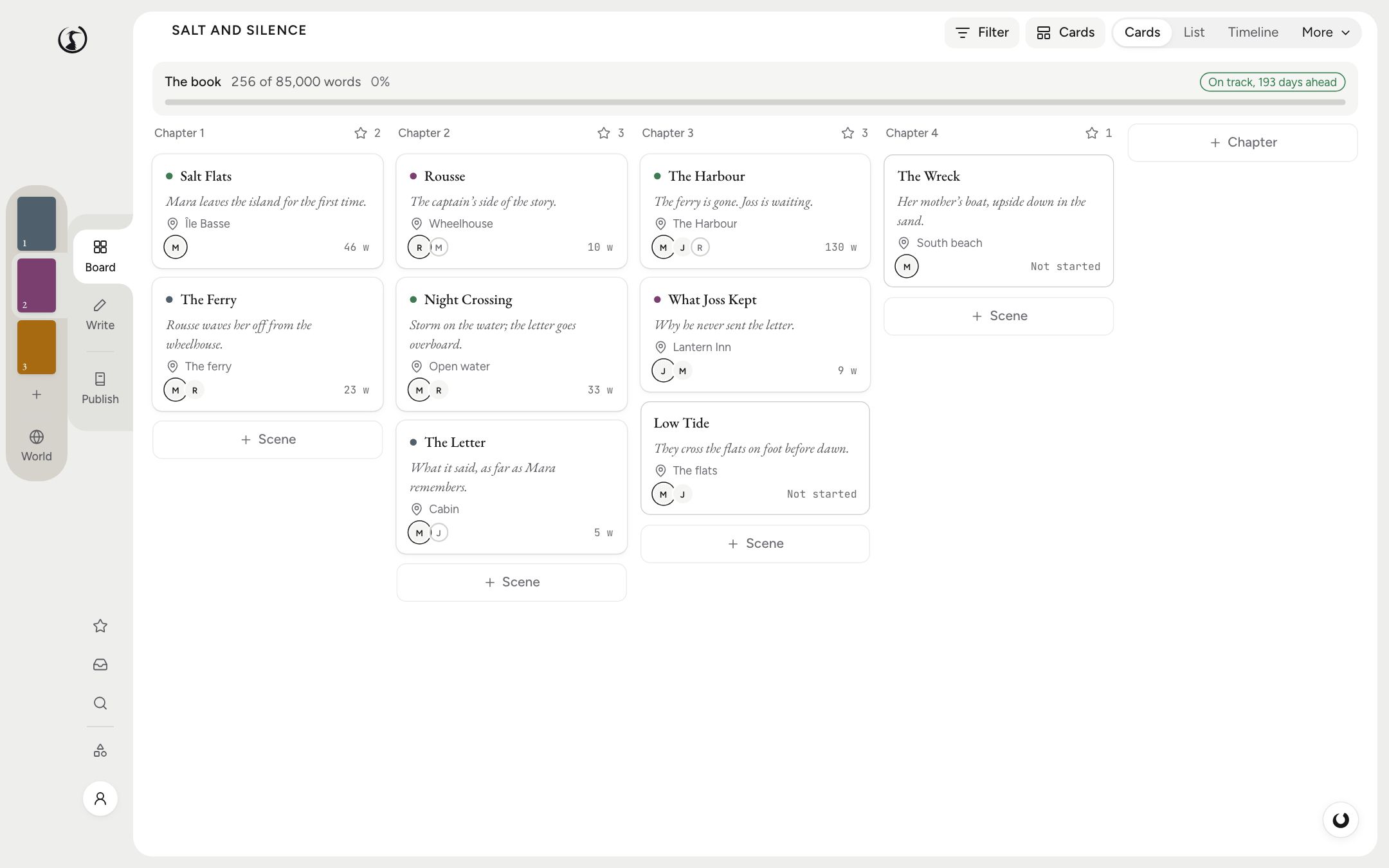
The Board in Shiro: a column of scene cards for each chapter of a novel, with synopses, places and who is in each scene.
Video coming soon

Everything Your Books Need.

From the first card to the file you upload, all in one project.

Board

Every scene on a card. Drag one to another chapter and the scene moves in the manuscript, for the night chapter 12 turns out to belong before chapter 3.

Each card carries what you choose: the synopsis, the point of view, who’s in the scene and how close it is to its word target.

When the book gets complicated, the same scenes line up as a timeline, a plot grid or a list with their status.

Write

An editor that knows it’s a book. Quotes curl as you type, and headings, footnotes and verse are a slash away. TKTKPublishing shorthand for “to come”A gap you’ll fill in later. Shiro highlights each one and counts those left before you publish. holds the place of a name you’ll find later.

Behind the page, Shiro takes snapshots you never had to ask for: before the first change of the day, every 30 minutes of writing and before any save that cuts half the scene.

World and Research

Fact and fiction, kept straight. In a novel, who’s related to whom, what she knows by chapter 9 and whether he’s still alive in chapter 12.

In non-fiction, where each quote comes from, the page of the PDF you found it on and which claims still have no source.

Everything links back to the page that uses it.

Focus

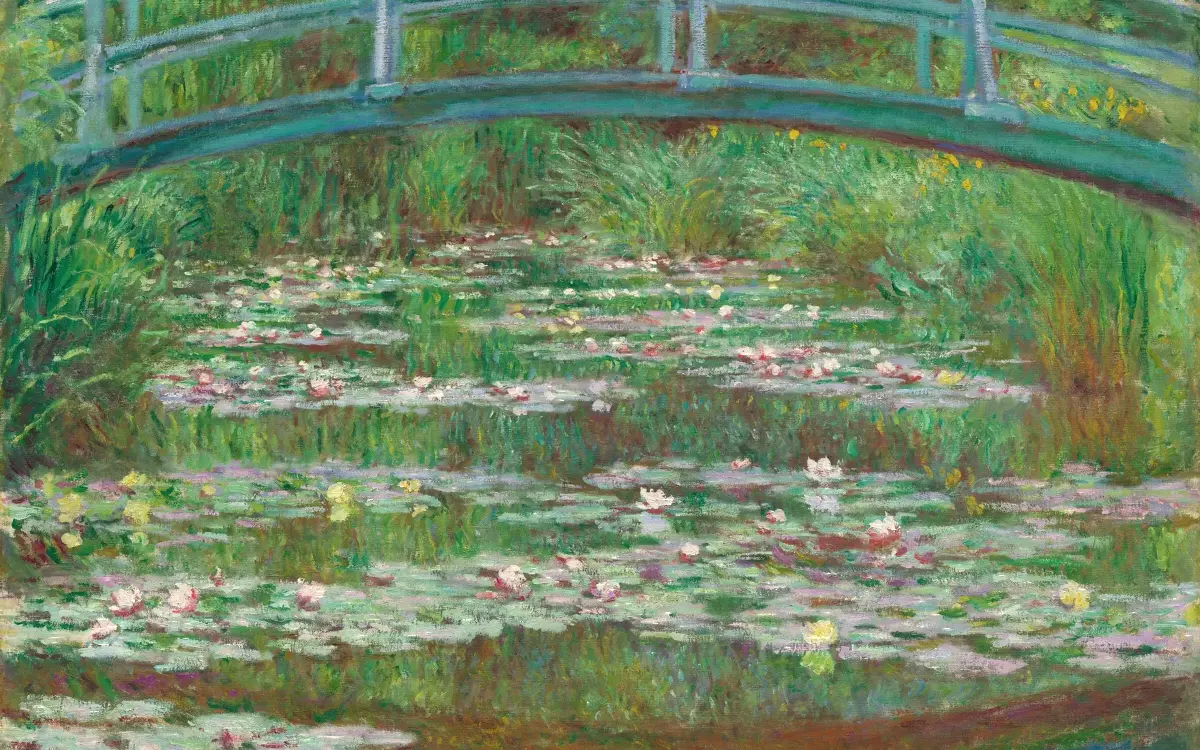
Somewhere else to write. The menus go and the page stays: in a Monet that never quite dried, by a heron’s pond, on a night drive, or nowhere at all.

Each place comes with its own music, and every key can click like a typewriter or play a note in tune with it.

Shiro AI

An assistant that does the legwork, then asks. Ask for a new character and Shiro searches the webWeb searchWith your own Claude key, or a Brave Search key for any other model., writes her World entry, links her family and works her into a scene, on Claude, GPT or Gemini.

Manual proposes each change, Auto makes them with an undo, and Max plans the long jobs and sees them through.

Bring Your Own Key

Your provider, your bill. Paste a key from Anthropic, OpenAI, Google, Mistral or OpenRouter and write with the model you already pay for.

Requests go straight to that provider, who bills you, and their terms apply.

Local Models

An AI that lives on your laptop. Several models to choose from, from the lightest, for titles and summaries, to the biggest and cleverest, which drafts and rewrites with you.

Download one once and it runs on your computer. Nothing you write is sent anywhere, even with the Wi-Fi off.

MCP for Agents

Your book, for your own agents. Claude, Cursor and others connect over MCP as first-class citizens: whatever you can do in your book, they can do too.

Connect them to the desktop app, the command line or Shiro Cloud, and they sign every change they make.

Also in Shiro

  • Revision passesOne read for each problem, from the plot down to the typos
  • Continuity checksFor the murder victim who orders coffee in chapter 30
  • ImportScrivener, Word and others, original untouched
  • PublishFrom manuscript to a file Amazon will take
  • TranslationYour book in other languages, to edit beside the original
  • Authorship recordTyped, pasted or from Shiro, in a signed record
  • Your filesPlain Markdown on your disk, readable in any other app
  • Co-authorsFive roles, live carets, and who wrote which line

Too Big for One Head, Spread Across a Dozen Tools.

Somewhere past 40,000 words, no head holds three hundred pages, forty people and a hundred decisions made in March. That isn’t a talent problem. So the book moves into one huge file, five apps or three chatbots, and each one costs you something.

  1. Simple, until page 300. Then the file takes a while to open, a search for “letter” finds 212 of them, and yesterday’s version is either v6 or gone.

    You spend the writing hour looking for the book.

  2. One app to plot, one to write, a wiki for the world, a formatter that only runs on a Mac and a site for beta readers. Each is good at its job. None of them knows the others exist, so you become the sync.

    Five subscriptions, five versions of the truth.

  3. Claude for the prose, ChatGPT for the plot, Gemini because it reads the whole PDF. Three tabs, three subscriptions, and every morning you paste chapter 12 back in because none of them remembers chapter 11. Meanwhile your unpublished book sits on three servers whose terms you never read.

    Three bills, no memory, no receipts.

None of these is a bad idea. None was built to hold a whole book.

Shiro Was Built to Hold the Whole Book, and to Keep It Yours.

One project, from the first card to the file you upload. On your disk, and untouched until you say so.

  • All in one place.

    Plan, draft, characters, sources, revisions and exports, each linked to the scenes that use it.

  • All yours.

    A folder of Markdown files on your computer. No account, no tracking, and never used to train a model.

  • All your call.

    AI off, on your laptop, on your own key or on ours. Every change it suggests waits for you.

Your Unpublished Book Is Nobody’s Training Data.

Shiro never trains models on your writing. Everything else that leaves your computer is your call, book by book.

That promise covers Shiro. With your own key or hosted AI, the model’s maker sets its own terms.

A bundled llama.cpp, or Ollama and LM Studio. The request goes to 127.0.0.1 and comes back, so you can write in a cabin with the Wi-Fi off.

What Shiro sentWrite: continue the scene
Where it went
Stayed on this computer: Gemma 4 26B at 127.0.0.1.
Model
Gemma 4 26B
Cost
Free, on this computer
2,140 tokens in, 180 out

No requests. There is nothing to show.

  • Nothing Calls Home

    The desktop app works offline with no account, and contacts no Shiro server until you sign in.

  • No Usage Data

    The app collects no usage data and sends no crash reports. There is nothing to opt out of.

  • Your Book Is a Folder

    A local project is plain Markdown on your disk. Any text editor opens it, with or without us.

  • Pages No AI May Read

    Set a scene or a note to Never, and no model, agent, search index or outside tool may read it.

  • Background Work Stays Local

    What runs without a click, like filling in scene details or search by meaning, uses local models only.

  • Don’t Take Our Word for It

    A browser test fails if the desktop app makes a request off your machine, and the code that reads your book is on GitHub.

Help When You Ask. Silence When You Don’t.

It proposes, you decide. Or switch it off, and nothing about writing changes.

How the AI works
  • It Has Already Read the Book.

    Your scenes, your World, your sources and your style sheet are in the project, so nobody pastes chapter 11 back in. Ask about Madeleine and it knows she’s the sister.

  • Every Model in One Place.

    Claude, GPT, Gemini and Mistral, chosen per task: one to draft, another to check the facts. On Cloud there’s one bill and no keys. Or bring your own key, or run a model on your laptop for nothing.

  • Nothing Changes Until You Accept It.

    Every edit arrives as a tracked change. Manual asks about each one, Auto makes them with an undo, and Max plans long jobs with checkpoints you can roll back.

  • It Learns Your Voice.

    Teach it from your own chapters and your style sheet. Stock AI phrases are flagged before they reach the page.

Nothing Gets Lost. Not a Word, a Fact or the Credit.

Your words are backed up, your facts are checked, and how you wrote it is on record.

  • Lose a Laptop, Not a Book.

    Snapshots before every big change, automatic backups to a folder you choose, cut passages kept in the Stash, and a chapter written both ways until you decide. On Cloud, every scene keeps 90 days of history.

    Where your files live
  • The Victim Orders Coffee in Chapter 30. Shiro Noticed.

    Plain code, with no AI in it, checks the facts you keep: who was where, who is dead, how old everyone is, how long the ride to the pass takes, and what she knew by chapter 9.

    How the checks work
  • When Someone Asks If You Wrote It, Show Them.

    Shiro records whether each passage was typed, pasted or accepted from its AI, and signs the record. Send the report to an editor, a contest or KDP’s AI question. It’s evidence, not a certificate, and it says so.

    What the record shows

From TK on Page 212 to the Paperback in Your Hands.

Somewhere at the end of all this, there’s a box on the doorstep with your name on the cover.

  • Revise in Passes.

    Structure, then scenes, then sentences, then typos, each with its own checklist, and your editor’s letter turned into a Worklist.

  • Let Readers In.

    Beta readers open a link and comment, with no account to make. Co-authors and editors write in the same book at the same time.

  • Export What the Stores Accept.

    An EPUB for each store and a print-ready PDF, with presets for Kindle, KDP paperback and hardcover, and 16 checks before you upload.

After that, saying “I’m a writer” at parties gets noticeably easier.

How publishing works
Pricing

Writing Alone Is Free. Cloud Is for When the Book Leaves Your Desk.

The desktop app is free forever, with no account. Cloud is for what one computer can’t do.

Save 20%
  • Your Chatbots, Inside the Book.

    Cloud Plus costs about what one chatbot subscription does. It puts Claude, GPT, Gemini and Mistral in the project, where they’ve already read the book. One bill, no keys, no pasting.

  • The Book on Every Device.

    Sync between your computers and the browser, 90 days of history on every scene, and room for every research PDF.

  • Other People in the Book.

    Co-authors and editors who need only a free account, links for beta readers who need none, and Send to Kindle.

Shiro

Forever, on Mac, Windows and Linux

Free

  • The whole app: Board, Write, World, Publish
  • AI with a local model or your own key
  • Authorship record and process reports
  • Import from Scrivener and Novelcrafter
Download

Cloud Core

Everything Cloud does, for writing with no AI or with your own key

$9 / month$84 / year

  • No hosted AI: your own key or a local model
  • Sync between your computers and the web
  • Co-authors, editors and review links
  • 90 days of version history
Start with Cloud

Cloud Plus

For writing every week, with Shiro’s hosted AI

$19 / month$180 / year

  • $6 of AI a month at provider prices
  • Sync between your computers and the web
  • Co-authors, editors and review links
  • 90 days of version history
Start with Cloud

Cloud ProRecommended

For writers who work with Shiro every day

$39 / month$372 / year

  • $12 of AI a month at provider prices
  • Sync between your computers and the web
  • Co-authors, editors and review links
  • 90 days of version history
Start with Cloud

Cloud Max

For full drafts, long books and the series you promised yourself

$99 / month$948 / year

  • $32 of AI a month at provider prices
  • Sync between your computers and the web
  • Co-authors, editors and review links
  • 90 days of version history
Start with Cloud

Prices in US dollars, before tax; the app also shows euros, pounds, Swiss francs and Canadian or Australian dollars. Extra AI credits never expire.

  • Credits That Don’t Vanish

    When the month’s allowance runs out, a lighter model keeps up with everyday tasks, within a fair-use limit. Credits you buy on top never expire.

  • Stop Paying, Keep the Book

    Your account goes back to free and your books stay yours. Take any of them home as a folder of text files, whenever you like.

  • Move In Without Packing

    Bring a Scrivener 3 project, a Novelcrafter export, Word files with their tracked changes, or Markdown. The original stays as it was. Yes, final_final_v7.docx too. How importing works

  • Cloud Keeps the App Free

    Cloud is the closed, paid part of Shiro, and it pays for the open part. That’s how the desktop app stays free, with no catch in chapter 12.

Questions Writers Ask Before They Move In.

Plain answers, including the ones that send you to another app.

Is Shiro really free?

The desktop app is, on Mac, Windows and Linux, with no word limit and no expiry. That includes every lens, every export, the authorship record and AI on a local model or your own key. You pay only for Shiro Cloud, and you never have to use it.

Why pay for Cloud if the app is free?

For what one computer can’t do: the book on your other devices and in the browser, co-authors, editors and beta readers in it, 90 days of history, and AI with no keys to manage. Cloud also pays for the free app, which is how it stays free.

I already pay for ChatGPT or Claude. Can I use that?

Not directly. A chatbot subscription isn’t an API key, so no other app can use it. You can make an API key with the same company and pay them per use, or let Cloud handle it: Cloud Plus costs about what one chatbot plan does and includes Claude, GPT, Gemini and Mistral, inside the book. Keep your chatbot too, if you like it.

Does Shiro train AI on my writing?

No, never. With AI off, nothing from your book goes to a model at all. With your own key or Shiro Cloud, the request goes to the model you chose, and that provider’s terms apply. Shiro’s server keeps your text only if you turn on Help improve Shiro, which is off by default.

Can I turn the AI off completely?

Yes, for every book or just one. Once it’s off, no AI code runs and nothing is sent anywhere. The code stays in the app, idle. If you want a writing app with no AI in it at all, Scrivener or Dabble will suit you better, and we’d rather say so now.

Will the AI make my book sound like everyone else’s?

Not if you don’t let it. It learns a voice from your own chapters, flags stock AI phrases, and every change it suggests waits for you to accept or reject it. Plenty of writers use it only to research, summarise or check, and write every sentence themselves.

Where is my book, and what happens if Shiro shuts down?

A local project is a folder of Markdown files on your disk. Any text editor opens it, so your book outlives the app. Cloud projects can be downloaded as the same folder whenever you like.

Are cloud projects private?

They travel over encrypted connections and only the people you invite can open them. They aren’t encrypted end to end, because the server needs to read them for history, co-authors and agents. If that matters for this book, keep it local.

Can I bring my Scrivener project?

Yes, from Scrivener 3, along with Novelcrafter exports, Word files and folders of Markdown. Shiro reads the original and makes a new project, so the original stays exactly as it was, and it tells you what didn’t come across.

Can I format my book for KDP and print?

Yes. Shiro exports EPUB, print-ready PDF and Word, with presets for the Kindle ebook, KDP paperback and hardcover, and runs 16 checks before you upload. It doesn’t design your cover, but it checks the size.

Can my editor and co-author work with me without paying?

Yes. Inviting people takes a Cloud plan on your side, and the people you invite only need a free account. An editor can comment and suggest but never changes your text directly, and beta readers need no account at all.

Can Shiro prove I wrote my book?

It can show how the text arrived: typed, pasted or accepted from Shiro, in a signed report that shows if it was tampered with. That’s evidence that supports your word, not a certificate that replaces it, and the report says so.

And So the Writer Closed Five Apps and Three Chatbots, Opened One Project, and Wrote Chapter Twelve at Last.